
Sensor batteries, handled
Find out after every ride.
Not halfway through the next one.
Your bike computer already records battery details for sensors you pair. Charged reads those ride files and tells you if any devices are running low: your radar, power meter, Di2 or AXS components, heart rate strap, and so on.
Works with Garmin Connect™, Wahoo Fitness, Hammerhead Karoo and Intervals.icu. Use it on the go or at home, with apps for iPhone, Android, and on the web.
Sound familiar?
"Why in 2026 do we still have 'Battery Status: OK' when in fact it's not okay?"
"This morning the coin cell died in the right shifter with no warning beforehand."
"What I'm wondering is how close is it to dying?"
"Inevitably something runs out of battery on every single ride."
Charged can help.
Alerts
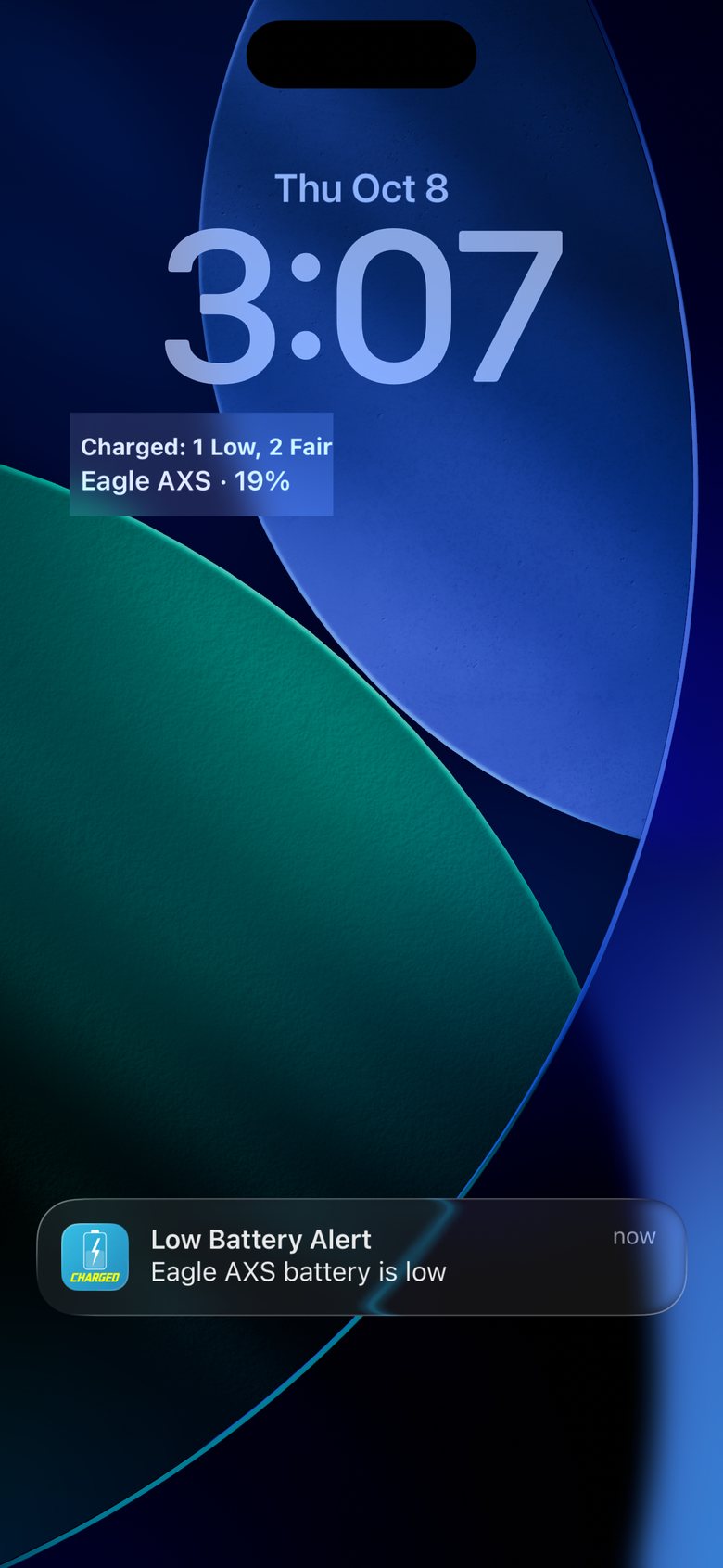
One push, when your ride syncs.
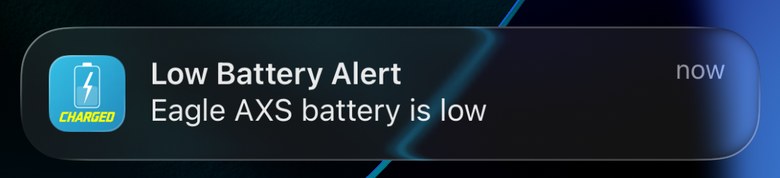
When an activity arrives from Garmin Connect, Wahoo, Karoo or Intervals.icu, Charged checks every battery in it. If one is low, you get a notice on your phone, and the dashboard's at-a-glance view shows all your devices, so you can check, charge, or swap batteries when it's convenient.
Set it up once
- Sign in with Apple or Google.
- Connect where you sync your activities: Garmin Connect, Wahoo, Karoo or Intervals.icu. Charged imports recent rides so the dashboard fills right away.
- Allow notifications when prompted so Charged can give you a heads up when batteries run low.
"I have a fleet of bikes with AXS batteries… They tend to die on me at inopportune times."
Stacks
Are my bikes ready for this weekend?
Every bike, organized.
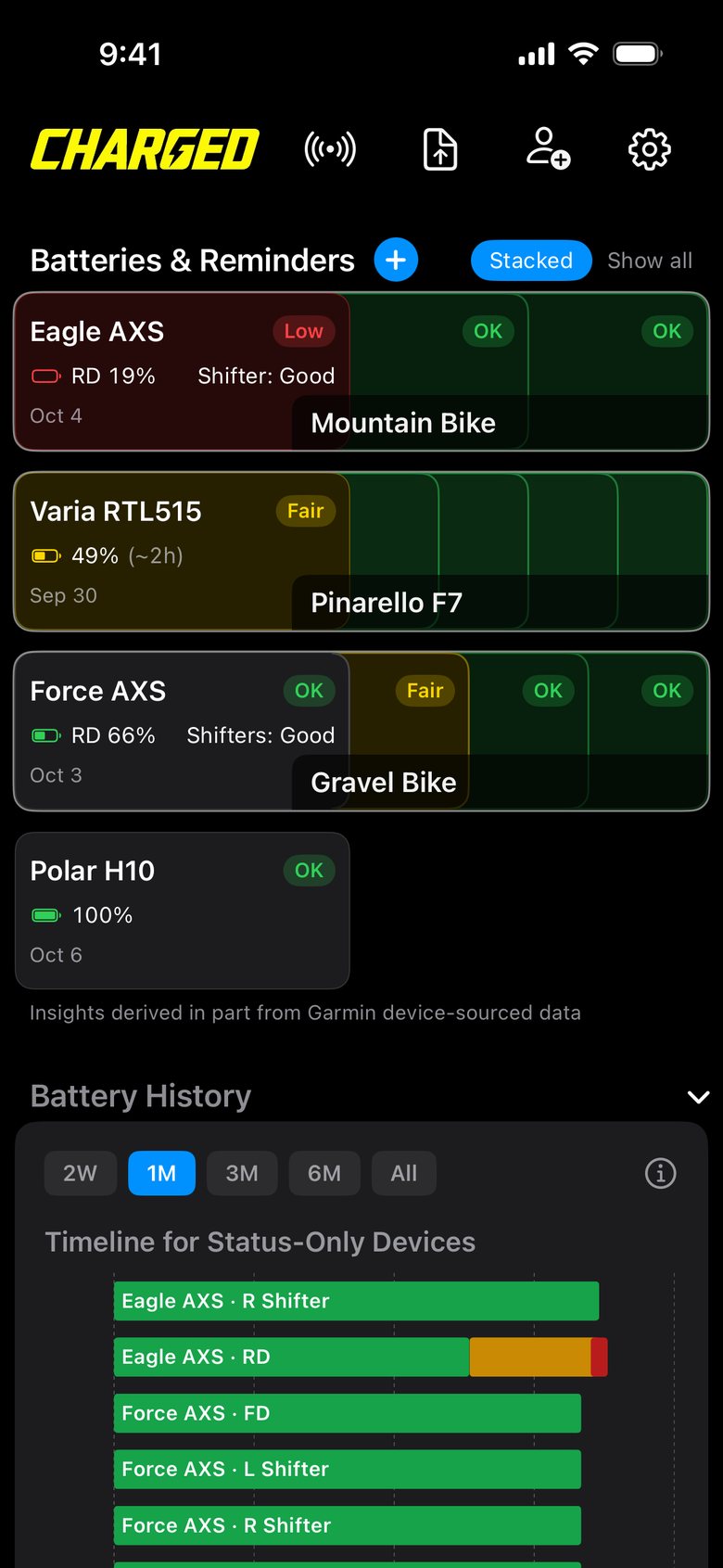
Group your dashboard cards the way they live in your garage:
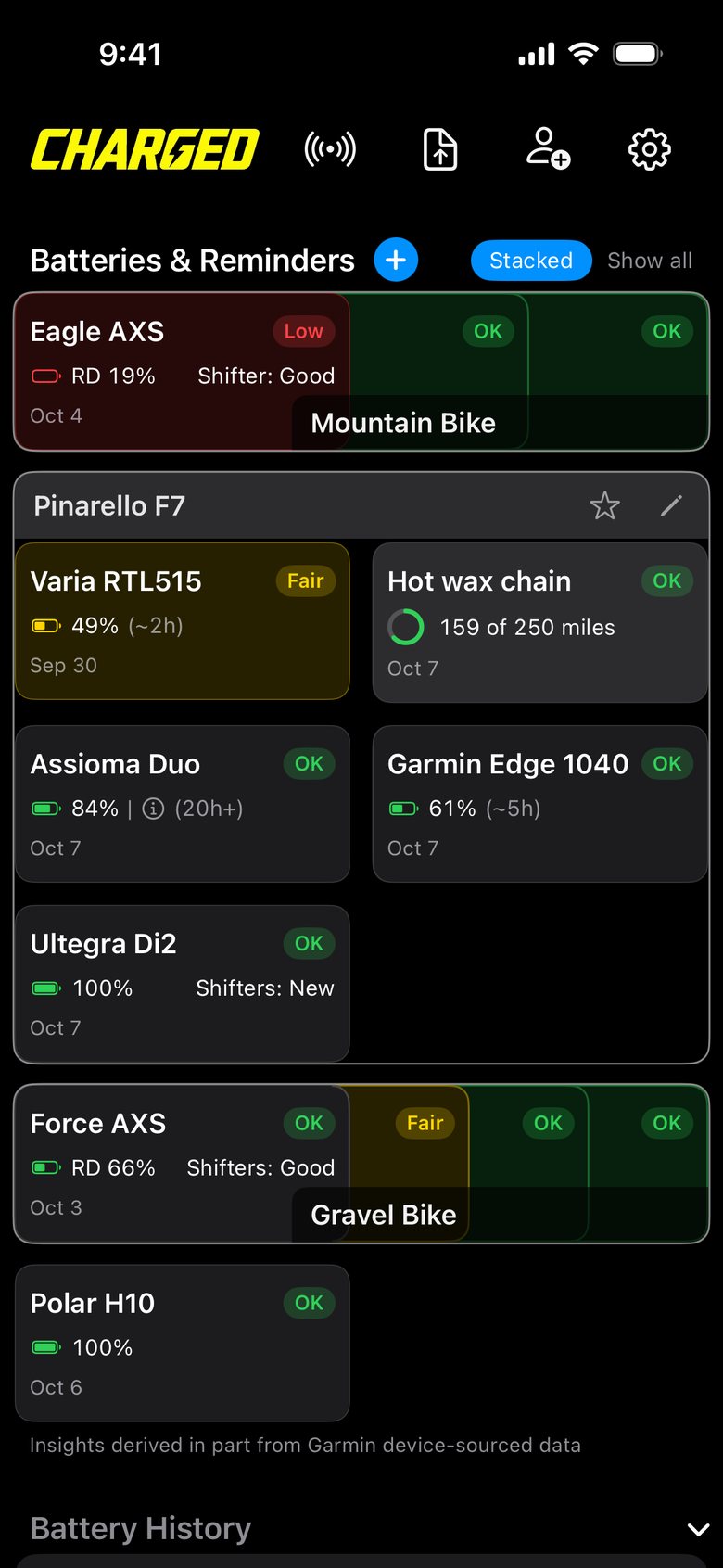
Your road bike's Di2, pedals and radar in one stack, your gravel bike's AXS and radar in another. The most urgent card shows on top, unless you pick a specific one to Show on Top, and the colored edges tell you the rest before opening the stack.
A bike computer or a heart rate strap used with multiple bikes can sit in every stack. Maintenance reminders can go in a stack too.
How
- Tap + next to Batteries & Reminders, then New Stack.
- Name it after the bike or activity type, and pick its cards.
- Tap a stack to open it. Tap outside to close. Only one stack opens at a time.
Time left
Will it last through my next ride?
Hours, not just a percent.
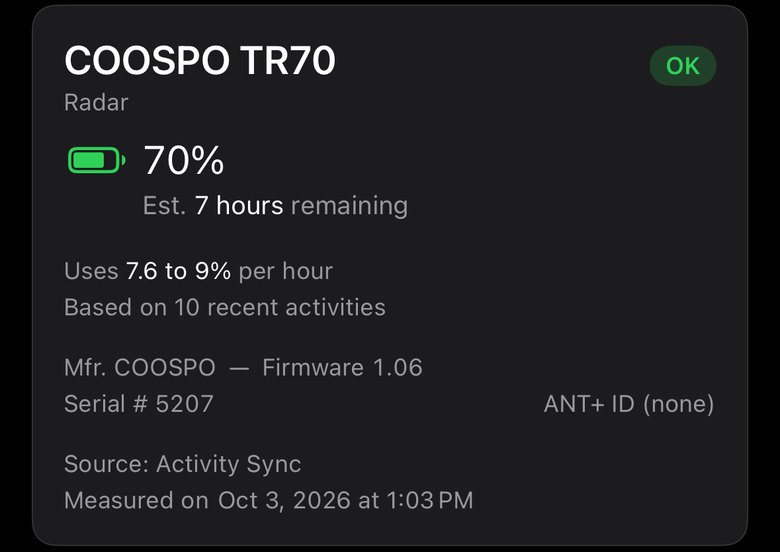
A percent doesn't tell you much on its own. Charged figures out how fast each of your batteries drains, and turns the battery level into riding hours, for example: Est. 7 hours remaining.
And it shows your own device's burn rate range, from its average to its high end rate, so the estimate leans safe.
Bike computers, radars, lights, rechargeable power meters, Di2 and AXS all get time remaining predictions after three rides.
Where to find it
- The dashboard shows hours next to the percent: 61% (~5h).
- Tap a card for the estimate and the drain rate details.
- Recharged it? Tap Mark device recharged and it shows estimated hours of use with a full charge.
Similar devices
Is mine draining faster than it should?
See how yours compares.
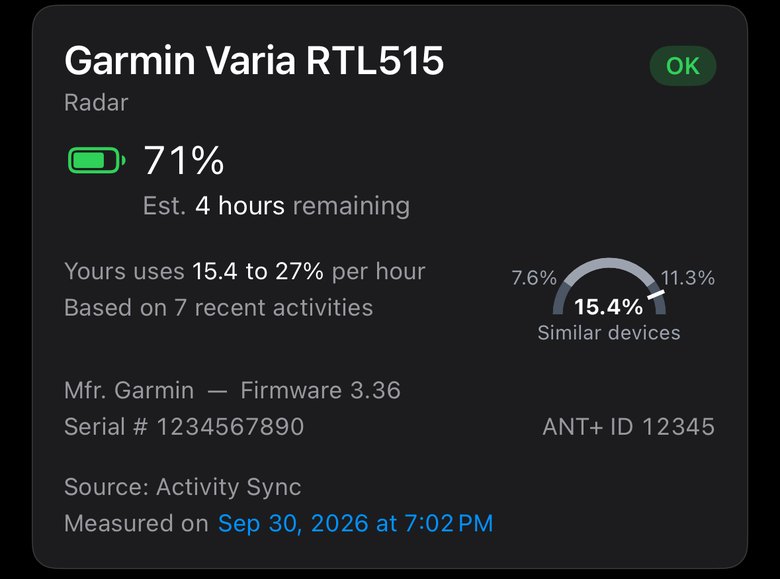
The small dial shows your device's burn rate against the same model used by other Charged athletes. The grey band is how most devices perform. The white mark is yours.
This one averages 15.4%.
A mark well past the band is worth a look: a more demanding light mode, GPS settings, an aging battery, or older firmware.
Good to know
- The dial appears when enough riders with the same model have synced activities.
Di2 and AXS
System batteries and shifter cells too.
Every battery in the groupset.
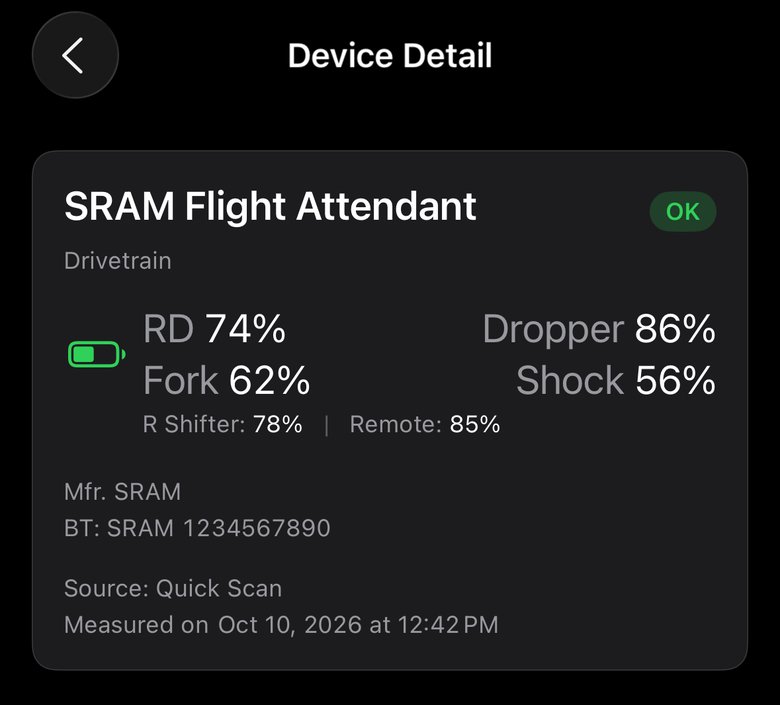
On rides recorded by a Garmin, or devices read by Quick Scan, Charged shows each component: AXS derailleur packs or Di2's system battery, and each shifter's coin cell. When possible, Wahoo recorded rides show shifter status too. The top line is the battery that needs a charge first, and individual components get their own line on the history chart.
How
- Ride with the groupset paired to your bike computer. That's it.
- Tap the card to see each component in the detail view.
Quick Scan
Know before you go.
Check everything over Bluetooth.
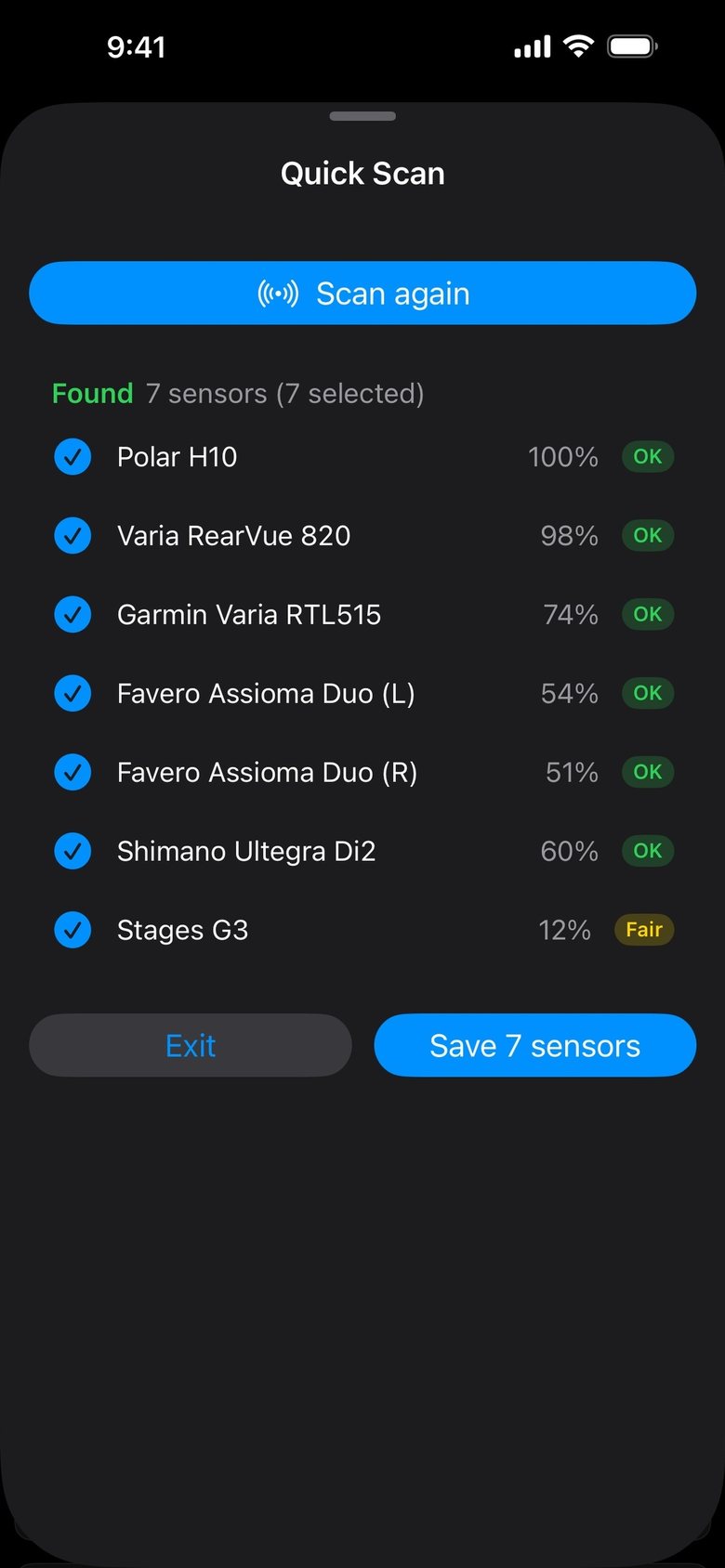
Quick Scan reads battery levels straight off the sensors near you: heart rate straps, power meters, radars, lights, and whole electronic shifting groupsets at once. It can also reach sensors that never put battery details in the ride file, like many heart rate straps paired to Wahoo head units and some components paired with Hammerhead bike computers. It works best in the iPhone and Android apps.
How
- Wake your sensors: put on the strap, spin a pedal, tap a shifter.
- Tap the scan icon at the top of the dashboard.
- Save the results to keep them on your cards.
Widgets · iPhone
Know with a quick glance.
Your batteries on the home screen.
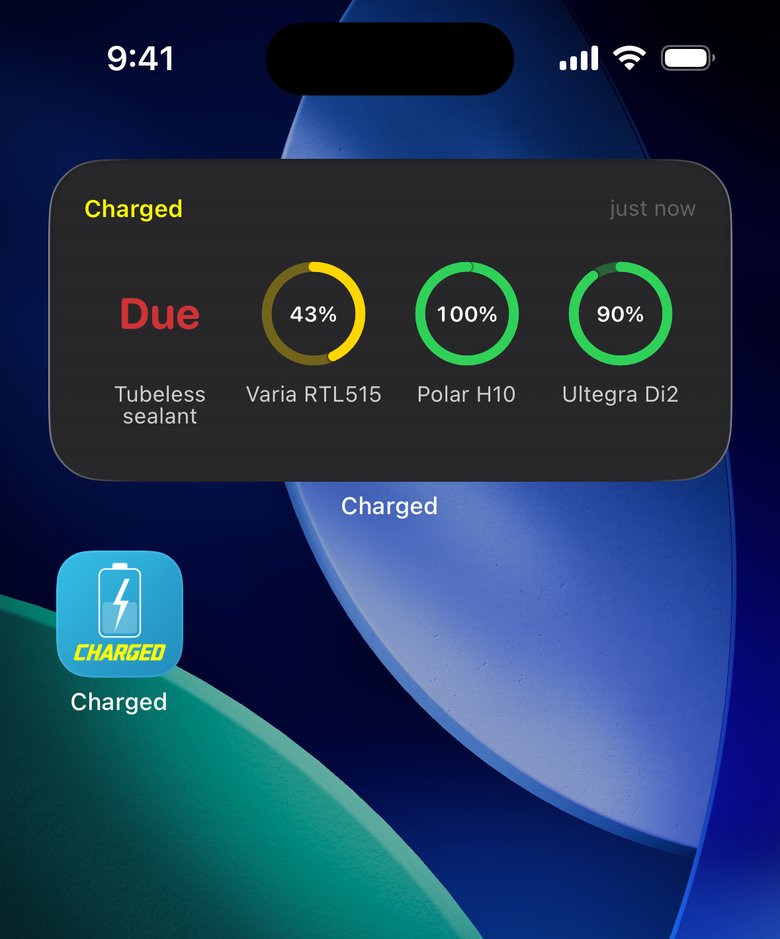
The home screen widget highlights the devices that need attention first. Small size gives a one-word status, medium displays four devices, large shows up to twelve. Reminders are included too. The lock screen widget shows the lowest sensor right under the clock.
How
- Press and hold the home screen or lock screen, then tap Edit.
- Tap Add Widget and search for Charged.
- Pick a size. Tapping the widget opens your dashboard.
Gear reminders
When do I need to wax my chain? How fresh is that sealant?
Chains, tires, sealant, even goals.
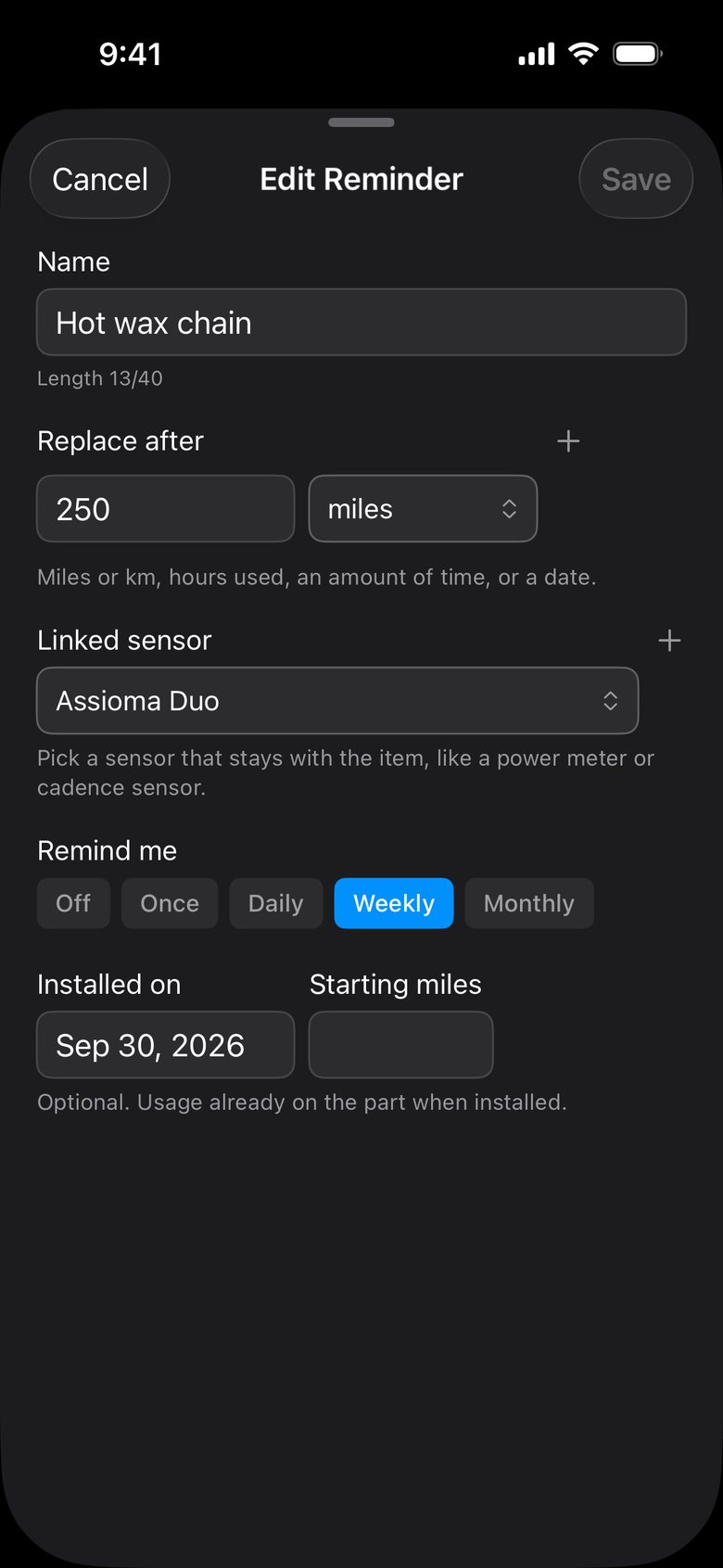
Add reminders by distance, hours used, or calendar time. Optionally link reminders to a sensor that stays with your bike, like its power meter, or a foot pod on running shoes, and Charged totals the miles as they accrue from your activities.
Athletes use this for keeping up on maintenance intervals like rewaxing chains, replacing tires, topping up sealant, or getting new running shoes.
The ring tracks progress towards the limit, cards turn yellow at 80%, and then red when due according to the schedule you set.
How
- Tap +, then Add Reminder.
- Set Replace after: for example 250 miles, 50 hours or 3 months.
- Completed the job? Mark replaced starts the count again.
History
How long did that coin cell actually last?
Every sensor's history.
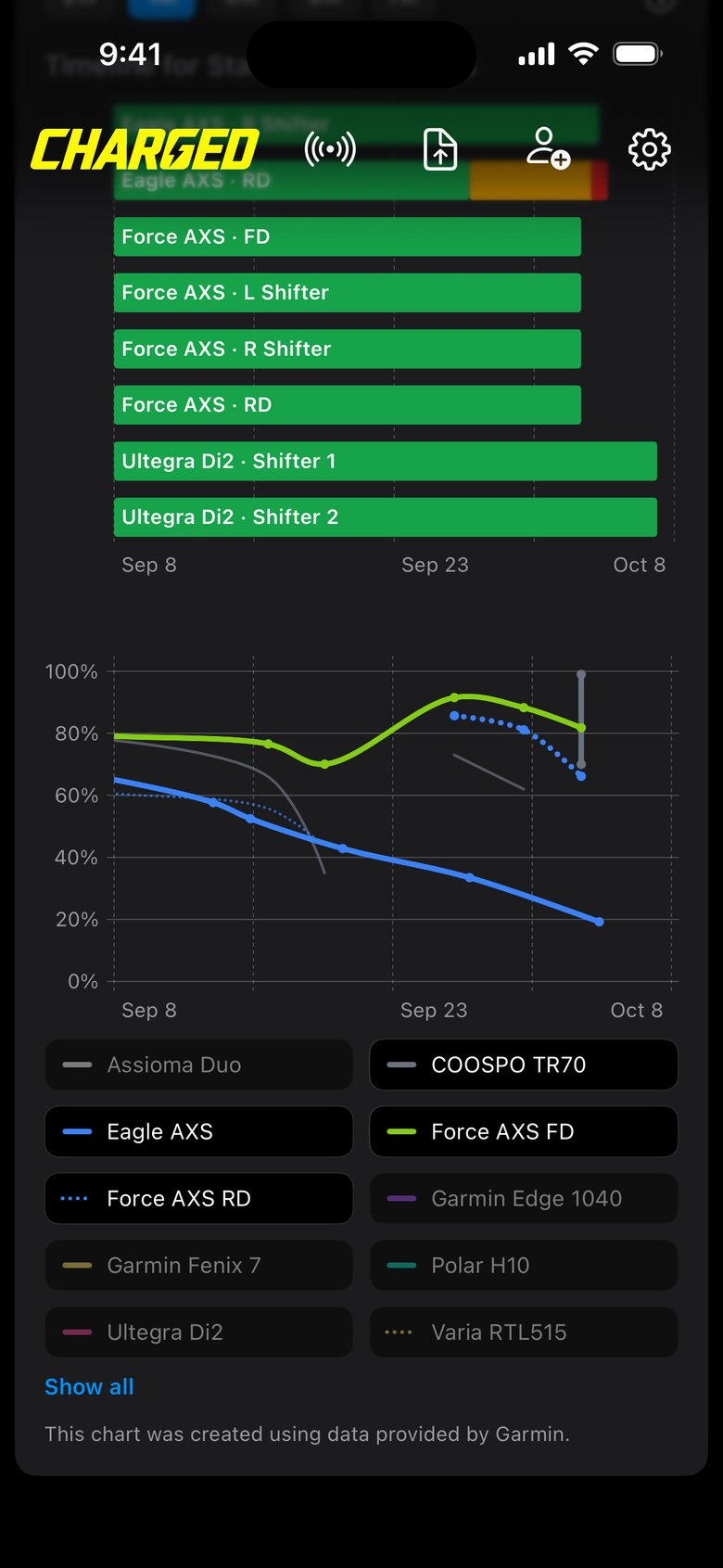
Each battery gets a chart line or status history, so you can see use over time and how often you recharge or change cells. Devices that report only OK or Low get a timeline above the chart.
How
- Scroll below your dashboard cards to view Battery History.
- Tap a name below the chart to show it alone. Long press or shift-click to toggle specific devices on and off in the chart.
Free on iPhone, Android and the web
View all your devices in one place.
Connect your activity provider once. Charged takes it from there.