Your bike computer calls it 153877Here's what it is...
Drop an activity file to see which sensors your bike computer or watch recorded: what each one is, its ANT+ ID or serial number, and battery details.
Drop an activity file hereA .fit file from your bike computer or watch
Choose file
Where do I find my activity file?
Garmin: on the Garmin Connect website, open the activity, then Export File from the gear menu. Or plug your bike computer in over USB and copy it from the Activities folder.
Wahoo: in the Wahoo or ELEMNT app, open the ride in History, then share the .fit file.
Karoo: on the Hammerhead Dashboard, open Rides, choose the menu beside the ride, then Download FIT.
Your device showsWhat it is
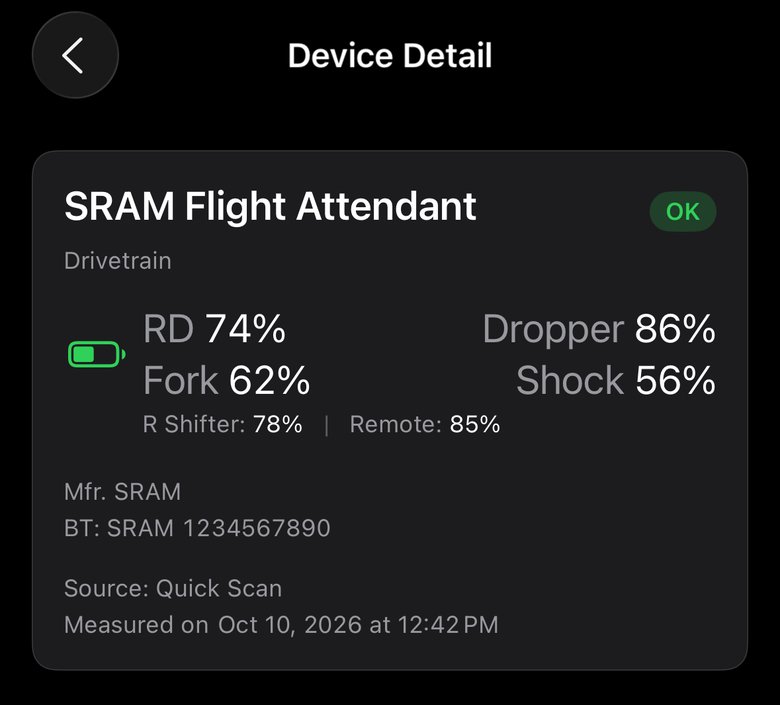
Example from a Garmin Edge. Wahoo, Karoo and watch files work too.
Tap a sensor for all its details.
No sensor matches that.
On this ride
Tap a sensor for its ANT+ ID, serial and more.
Seen only at the start
May be from your last ride.
Found this helpful?
Charged builds a battery history for each of your sensors every time rides sync. It can notify you when a battery is running low, and predicts how much ride time is remaining.
Get ChargedFree on iPhone, Android and the web. Works with Garmin Connect™, Wahoo Fitness, Hammerhead Karoo and Intervals.icu.
Garmin Varia RearVue 820RadarOK
Favero Assioma DuoPower MeterOK
What's an ANT+ ID?
The number a bike computer shows for a sensor it pairs over ANT+. A smart trainer's power-match setting asks for it, and so do some gym screens.
Why is a sensor listed twice?
Many sensors connect over both ANT+ and Bluetooth, and some do two jobs, like a radar with a tail light. Your bike computer keeps a pairing for each.
Why do some sensors show status only?
Some sensors only report a status word instead of a charge percentage, and some bike computers only record the status even when a device reported its charge level. The words run New, Good, OK, Low, Critical. "New" is the top charge level, not a new battery. Some devices only report OK or Low. A sensor that wasn't connected during the ride has no reading.
What do * and Probably mean?
They mark something Charged worked out rather than read straight from the file: * on an ANT+ ID, Probably on a name. Tap the sensor to see how.